Payroll setup
Switching payroll software mid-year in Canada: a practical checklist
A mid-year payroll software switch is a records handover as much as a setup task. The new process needs an accurate starting point, and the old process needs a definite stopping point. Prepare both before approving the first live run.
Choose the last old run and first new run
Write down the final pay date handled by the current system and the first handled by the replacement. Assign someone to confirm that the old provider will not send a scheduled payment after the cutover. Leave enough time for a review between systems.
Changing software for the same employer is different from changing the legal employer or reorganising the business. This checklist assumes the employer stays the same. Get situation-specific guidance if the business entity, payroll account or employment relationship is also changing.
Export the records before closing access
- Employee details, employment dates, pay rates and current tax-credit information.
- Year-to-date gross earnings, taxable benefits, pensionable and insurable earnings, and employee deductions.
- Employer contributions, vacation balances and relevant adjustments.
- Approved payroll registers, pay statements and supporting timesheets.
- Payment confirmations, CRA remittance records and outstanding amounts.
Store exports securely and confirm you can open them independently of the old provider. A total on a dashboard is less useful than employee-level records that explain how it was calculated.
Reconcile the starting balances
Compare the employee totals with the final payroll register. Separately compare recorded payments and remittances with the bank and CRA records available to you. Mark pending transactions as pending; a deduction recorded in payroll is not proof that its remittance was received.
The CRA employer guide covers CPP and EI deductions, annual limits and employer responsibilities. A software change should preserve the same employer’s relevant payroll history rather than treating continuing employees as if nothing had been paid this year.
Confirm how the new system accepts history
Ask which balances can be entered or imported, what format is required and how corrections work. Do not assume a product can import every report from the previous provider. If you are considering PayHr, use the workspace setup guide and confirm the history-entry process for your situation before approving payroll.
Keep a mapping sheet: old report field, new field, source total and reviewer. If two fields sound similar, check their meaning before copying values. Net pay alone is not enough to reconstruct earnings, deductions and employer costs.
Review the first run before releasing payment
Compare expected hours, rates, gross earnings, deductions, employer costs and net pay employee by employee. Include a person with a recent pay change or unusual adjustment if one exists. Investigate differences instead of adding an unexplained balancing entry.
For example, if your last old-system payday is October 16 and your first new-system payday is October 30, the opening records must include the completed October 16 run and exclude the unpaid October 30 run. This illustrative boundary helps prevent missing or duplicated earnings. Keep one approved payment instruction for the new run.
Agree who handles year-end reporting
Before cancelling a provider, establish who will prepare, submit and correct year-end information returns, and which full-year records they will use. Keep the arrangement in writing so both providers do not act on incompatible assumptions.
Then review the first completed payment and the next remittance. Our CRA remittance checklist and payroll review guide provide useful follow-up steps.
Frequently asked questions
Must I wait until January to change software?
A new year can simplify the record boundary, but a mid-year change can be planned. Confirm that the replacement process can carry forward the information your payroll needs before switching.
Does importing records also transfer payments?
No. Treat history, future payment instructions and past payment confirmations as separate items to verify. Never reissue an old payment just to recreate its record.
General information, not individual tax or legal advice. Check current CRA guidance and the rules for your situation. Product details reflect the linked PayHr guides.
Put your next payday in order
Explore PayHr’s payroll software and Free Payroll plan, or follow the workspace setup guide.
Keep reading
Payroll workflows
Excel vs free payroll software in Canada: when to switch
Compare a Canadian payroll spreadsheet with free payroll software: review time, employee records, corrections, payment tasks and the cost of each payday.
Read the guide
Pay schedules
Biweekly vs semi-monthly payroll in Canada: 26 vs 24 pay periods
Understand biweekly and semi-monthly payroll, compare a salary example, and plan Canadian pay dates, timesheet cutoffs and payroll funding.
Read the guide
Company news
PayHr introduces a free payroll software plan for Canadian small businesses
PayHr’s Free Plan includes unlimited employees, contractors and pay runs, with optional paid services and coverage in Canadian provinces outside Quebec.
Read the announcement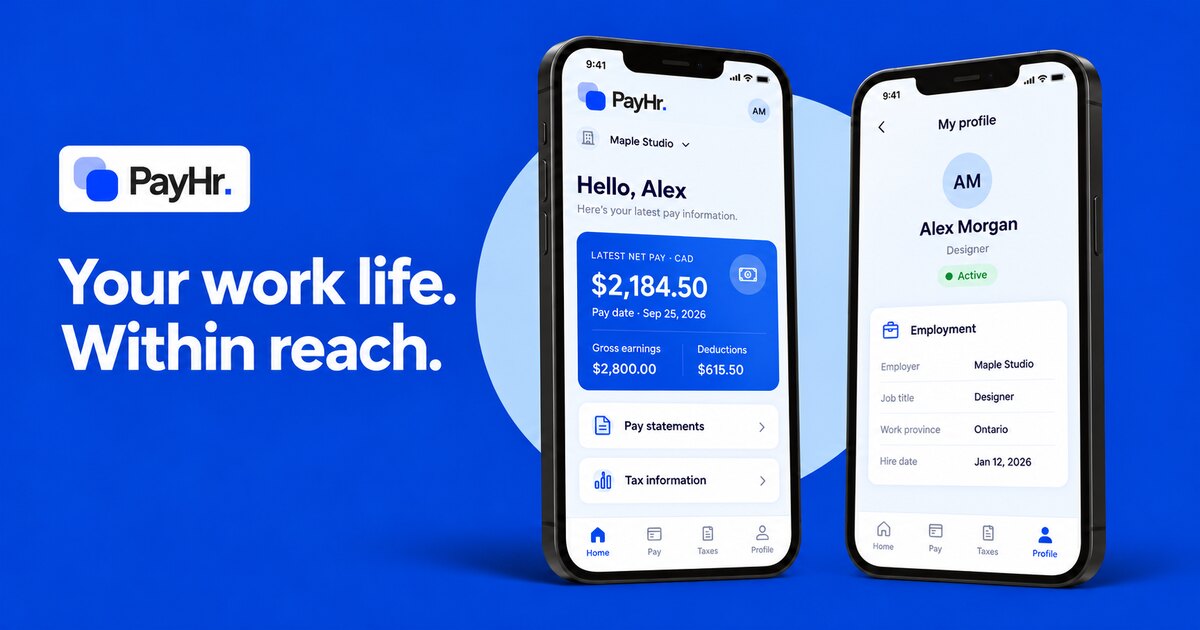
Product updates
Meet the PayHr employee app: your work life, within reach
A first look at the PayHr employee app for iOS and Android: home, pay statements, tax information and profile. With web portal access in your browser.
Read the guide