Product updates
Meet the PayHr employee app: your work life, within reach
Your pay information should be easy to find when you need it. The PayHr employee app for iOS and Android brings pay statements, tax information and employment details into one familiar place. You can also access your records through the web employee portal.
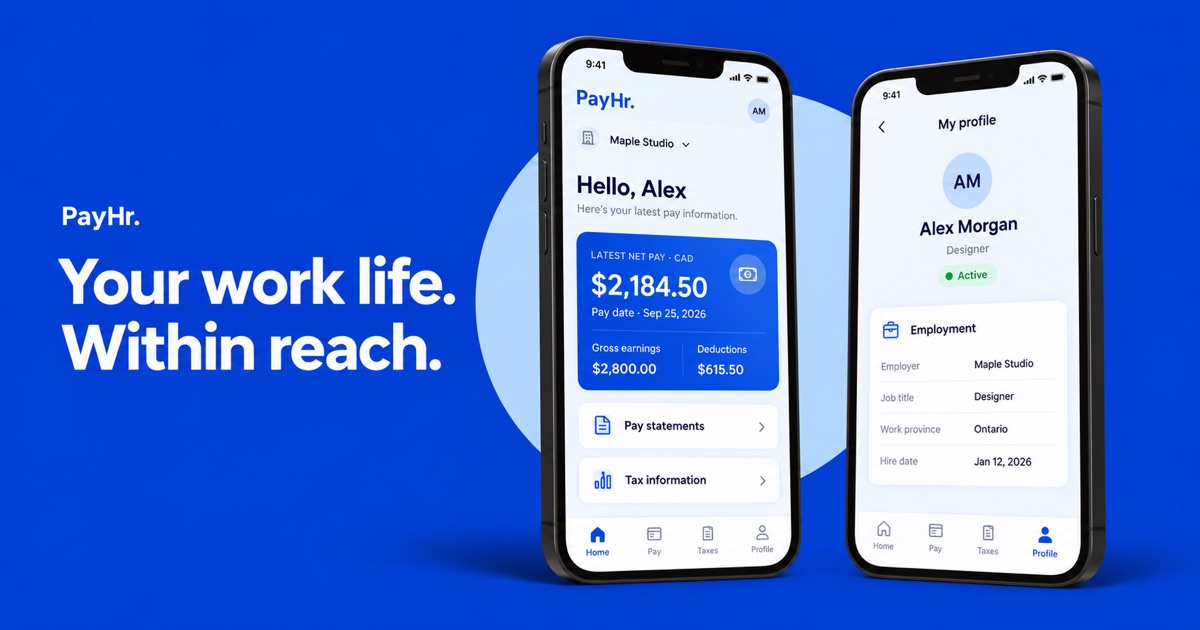
A home for your work information
The employee app opens with an overview of your latest recorded pay: net pay, gross earnings, deductions and the pay date. Quick actions lead to your statements and tax information, and an employment card keeps your employer, job title and status close at hand.
The app is built with Expo and React Native for iOS and Android. Its four main views—Home, Pay, Taxes and Profile—give employees a consistent way to move between their records.
A closer look at Home, Pay and Taxes
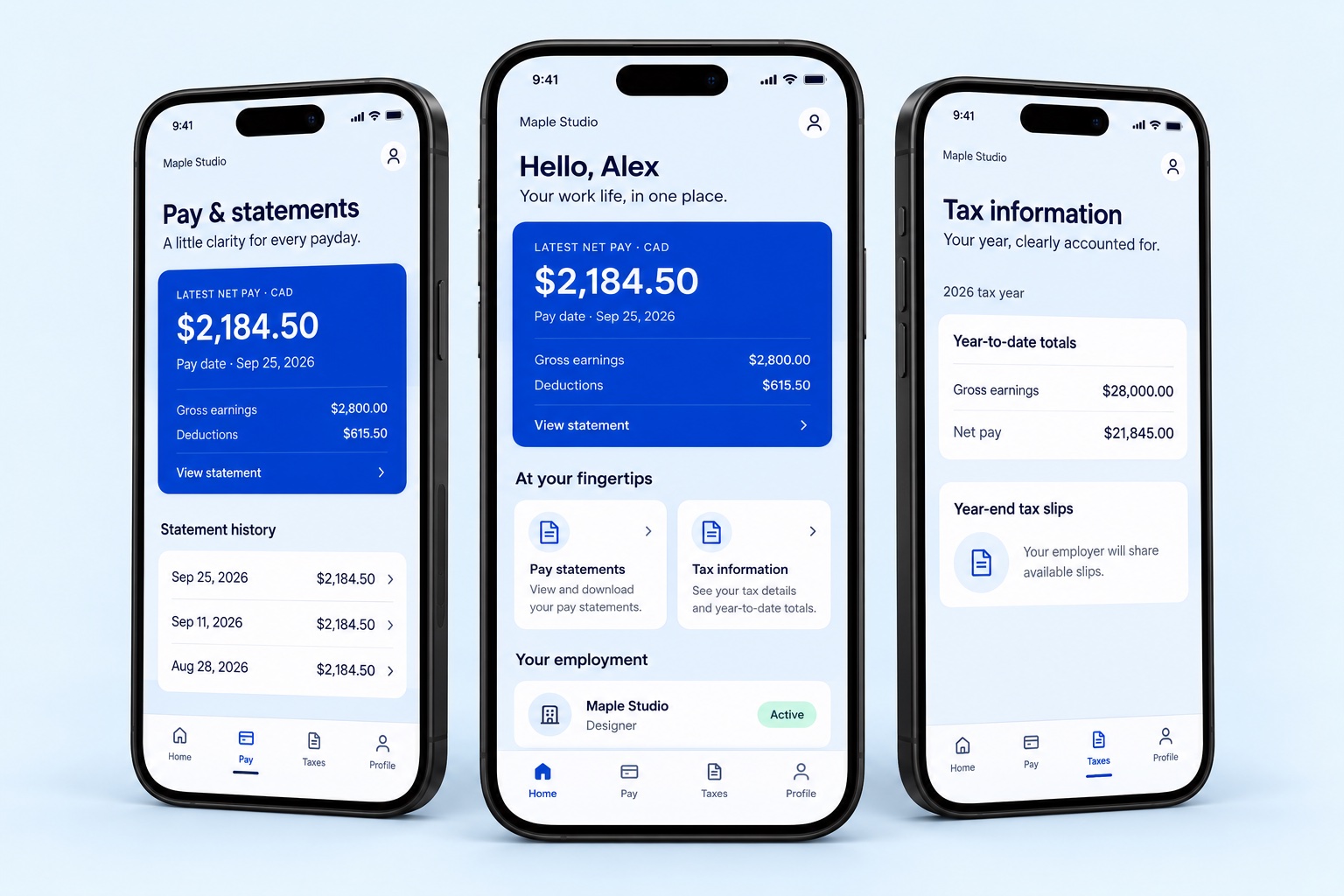
In Pay, statement history groups records by pay date. Open a statement to review the earnings and deductions for that period. The amount shown is a payroll record, not confirmation that money has reached your bank account.
In Taxes, you can choose a year and review the recorded year-to-date earnings and employee deductions. The screen also shows your employer’s year-end tax-slip information and available records-of-employment information. Document availability depends on your employer’s records and workflow.
Your profile, without another paper chase
Profile brings together the personal, employment and payment details held in your employee record. You can review your job title, hire date, work province and other information made available by your employer.
If something needs updating, contact your employer’s payroll team. Reviewing a profile does not change the employer’s payroll records. When multiple employer workspaces are associated with your account, you can choose which workspace to open.
Employee access is already available on the web
You can also use the PayHr web employee portal. Open the employee sign-in page, enter the email your employer has on file and follow the available sign-in steps. Then select your employer workspace.
If you cannot find your employer, ask the payroll team to check the email attached to your employee record. Statements and totals appear when the corresponding records are available. Employer workspace sign-in and employee portal sign-in serve different purposes.
Take your work information with you
Explore PayHr for iOS and Android on the employee app page and use the web portal when you prefer your browser.
Explore the app previews and use the web portal to find the records available to you. For access or record corrections, your employer’s payroll team is the best first contact. For product help, contact PayHr support.
App images are illustrative mockups with fictional sample data.
Explore the employee app
See the employee app page or open the web employee portal.
Keep reading
Payroll comparisons
PayHr vs Wagepoint: pay frequency and monthly plans
Compare PayHr and Wagepoint for Canadian payroll: pricing approach, practical cost examples, workflow differences and questions to ask before choosing.
Read the guide
Payroll comparisons
PayHr vs Knit: payroll, HR and pricing
Compare PayHr and Knit for Canadian payroll: pricing approach, practical cost examples, workflow differences and questions to ask before choosing.
Read the guide
Payroll comparisons
PayHr vs Rise: base fees and HR scope
Compare PayHr and Rise for Canadian payroll: pricing approach, practical cost examples, workflow differences and questions to ask before choosing.
Read the guide
Payroll comparisons
PayHr vs Payworks: quotes and payroll operations
Compare PayHr and Payworks for Canadian payroll: pricing approach, practical cost examples, workflow differences and questions to ask before choosing.
Read the guide