Product updates
What’s new in PayHr: October 2026
October was a full month. You can now send documents and TD1 forms for e-signature, keep workers’ compensation and employer health tax in one view, and switch your workspace to dark mode. Automated Pay is open to a small closed beta, our walkthrough videos are on YouTube, and the employee app is ready on iPhone and Android. Here is what each one does and where to find it.
Document signing, built into PayHr
Offer letters, policies and agreements no longer need a separate e-signature tool. Owners and admins will find Documents in the workspace sidebar. Upload a PDF (up to 10 files, 25 MB each) and save it as a template. Then place the fields you need: text, dates, checkboxes, drop-downs, signatures and initials.
- Create template once, and reuse it for every new hire.
- Send for signature to one person or several. They can sign together or in a set order.
- Each signer gets an email, confirms it’s them with a code, and signs in the browser. They don’t need a PayHr account.
PayHr sends a reminder every three days. By default, a request expires after 14 days. When everyone has signed, download the signed PDF and a signing receipt, or keep the document with the employee’s file.
TD1 forms, signed and applied
On an employee’s Tax tab, choose Request new TD1, then Send to sign. PayHr pre-fills the federal TD1 and the TD1 for the employee’s work province. Name, date of birth, address and SIN are locked. The employee enters their claim amounts and signs. When both forms are signed, the amounts become the employee’s tax settings, and the signed PDFs stay on file.
Price: $1 per signed document, charged only when every recipient has signed. A TD1 request includes two documents, federal and provincial. You need a payment method saved in Billing to send. Watch how to send a document for e-signature and how to send TD1 forms.
Workers’ compensation and employer health tax, in one view
Workers’ compensation premiums and provincial employer health taxes are employer costs on top of payroll. They’re separate from CPP, EI and income tax, and they’re easy to lose track of between reporting dates. The new Workers’ compensation page in the sidebar keeps them in one place.
- Boards: WSIB Ontario, WorkSafeBC, WCB Alberta, WCB Saskatchewan, WCB Manitoba, WorkSafeNB, WCB Nova Scotia, WCB Prince Edward Island, WorkplaceNL, Yukon WSCB and WSCC for the Northwest Territories and Nunavut.
- Employer health taxes: Ontario EHT, BC EHT, Manitoba’s Health and Post Secondary Education Tax Levy and Newfoundland and Labrador’s HAPSET, with their exemptions and thresholds.
- Your rate, your periods: enter the premium rate on your board’s notice (per $100 of payroll). PayHr applies each worker’s maximum assessable earnings and breaks the amount down by reporting period, with what’s paid, what’s due and when.
Record payments as you make them and use Export CSV for your bookkeeper. This page is for tracking: PayHr doesn’t file with or pay the board or the province for you. It doesn’t carry a separate fee.
Automated Pay is open to a closed beta
Automated Pay is for teams that would rather not move payroll money by hand. After you approve a pay run, PayHr collects the funds from your business bank account through a pre-authorized debit (PAD). That one debit covers employee net pay, contractor payments and payroll source deductions.
We’re opening it to a small group of workspaces first, by invitation. While it’s in beta, new setups stay closed for everyone else, and Manual Pay works exactly as it does today, free. The listed price is $6 per employee or contractor per automated pay run, plus a one-time $25 setup.
Want to join? Email [email protected] with your workspace name, province, how many employees and contractors you pay, and how often. We’ll reply either way. We don’t have a date for a wider launch yet. When we do, we’ll announce it on this blog and in our newsletter.
Dark mode for your workspace
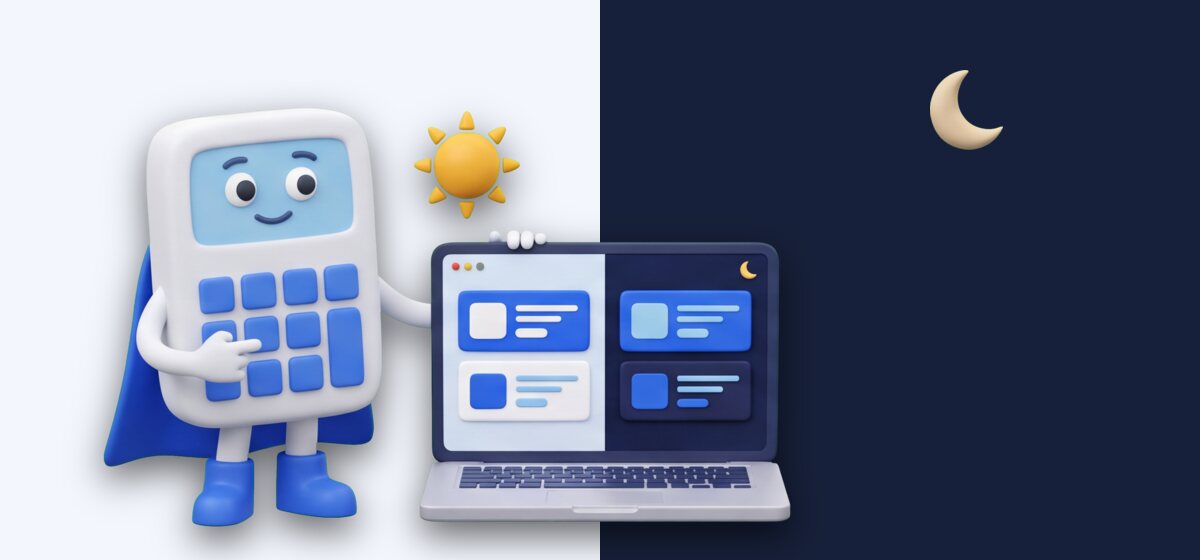
Late-night payroll is now easier on the eyes. In the workspace top bar, the theme button cycles through Light, Dark and System. System is the default and follows your computer or phone’s setting.
Your choice is remembered in that browser, so a shared office computer and your laptop can each keep their own setting. The sign-in and account pages follow it too.
Watch PayHr on YouTube

Some things are easier to show than to describe. On the PayHr YouTube channel, short walkthroughs follow the real screens step by step. They cover creating your account, setting up your workspace, adding employees and contractors, running payroll and sending documents to sign.
VIDEO
How to send a document for e-signature
Templates, fields and sending a document to sign.
VIDEO
How to send TD1 forms for e-signature
Request federal and provincial TD1s from the Tax tab.
VIDEO
The employee app and portal
Invite employees and see what they can view.
Subscribe to @payhrca to see new videos as we add them. The written tutorials and help centre are still there whenever you prefer to read.
The employee app, on iPhone and Android
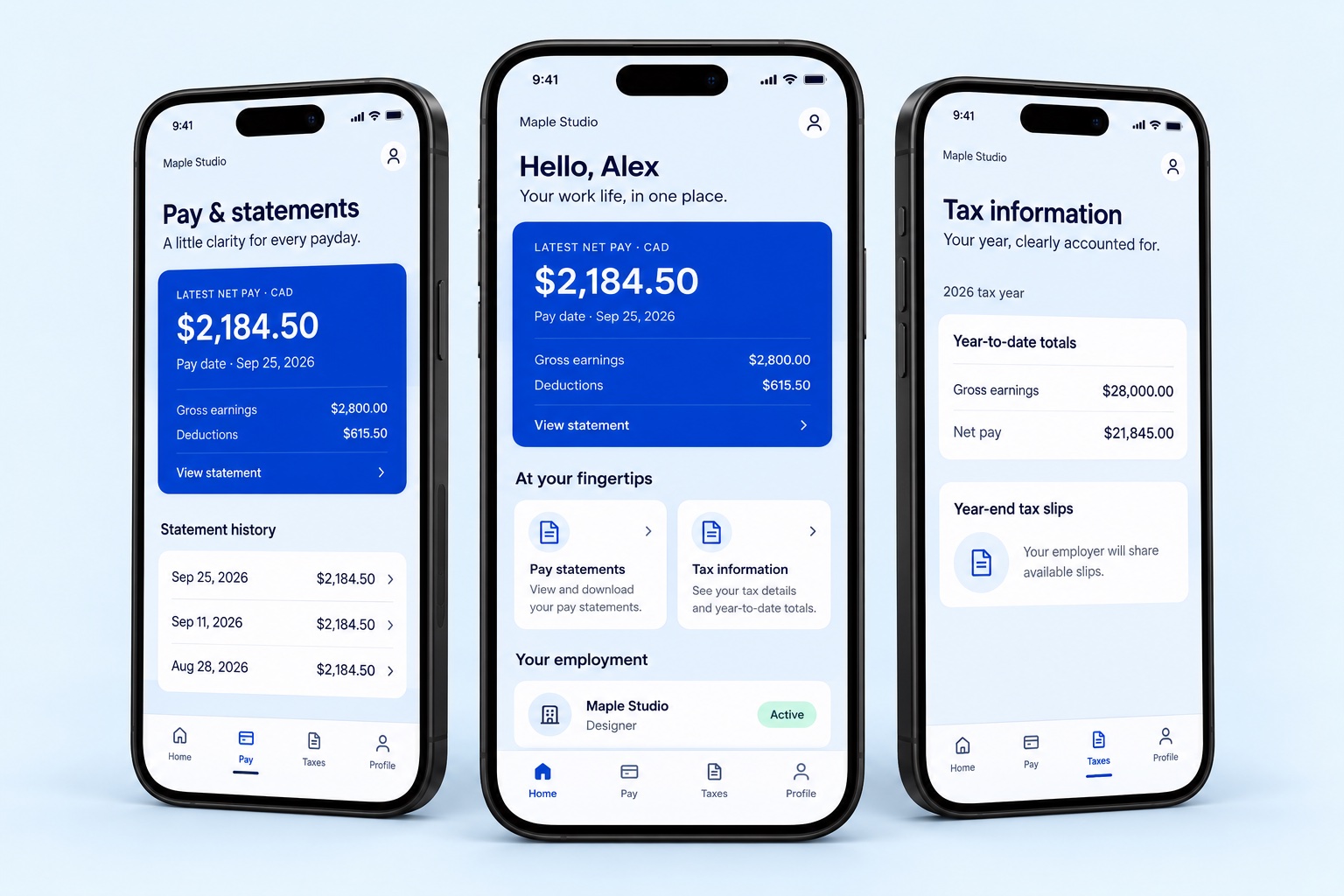
Your employees can now download the PayHr employee app from the App Store and Google Play. They sign in with the email address you have on file for them, then find their latest net pay, pay statements, year-to-date earnings and deductions, year-end tax slip information and profile.


Prefer a browser? The web employee portal shows the same records, plus their TD1 declarations and a secured mailbox for exchanging messages and documents with you. To spread the word, share the employee app page with your team. If someone can’t see your workspace, check the email address on their employee record.
That’s October
Thank you for running payroll with PayHr, and for the notes and suggestions you send us. If something is missing or a step feels slower than it should, tell us. Your message comes straight to our team.
— The PayHr team, Brampton, Ontario
Prices are in Canadian dollars; applicable taxes extra. Employee app images are illustrative mockups with fictional sample data. Product details reflect PayHr on October 31, 2026.
Try what’s new
Open your PayHr workspace, review pricing, or write to us with questions. New to PayHr? Start on the Free Plan.
Keep reading
Payroll workflows
Excel vs free payroll software in Canada: when to switch
Compare a Canadian payroll spreadsheet with free payroll software: review time, employee records, corrections, payment tasks and the cost of each payday.
Read the guide
Pay schedules
Biweekly vs semi-monthly payroll in Canada: 26 vs 24 pay periods
Understand biweekly and semi-monthly payroll, compare a salary example, and plan Canadian pay dates, timesheet cutoffs and payroll funding.
Read the guide
Payroll setup
Switching payroll software mid-year in Canada: a practical checklist
Plan a Canadian payroll software switch with year-to-date records, a clear cutover date, payment reconciliation and a first-run review checklist.
Read the guide
Company news
PayHr introduces a free payroll software plan for Canadian small businesses
PayHr’s Free Plan includes unlimited employees, contractors and pay runs, with optional paid services and coverage in Canadian provinces outside Quebec.
Read the announcement